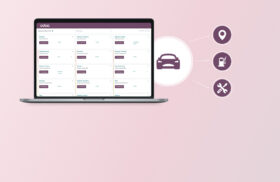
In today’s data age, businesses need tools to turn data into insights. Odoo dashboards are leading the way, giving you a live platform to monitor your KPIs. An Odoo dashboard is a customisable interface that brings together data from across your organisation, so you can track performance, see trends and make decisions with confidence. By using Odoo dashboards you can increase operational efficiency, strengthen customer relationships and make every decision data driven. Decisions and continuous improvement are key to success in today’s world.
Key Features of Odoo Dashboards
Odoo dashboards are full of features for all businesses. With customisable dashboards you can show what matters most to you – sales performance, customer interactions or inventory levels. The interface is so user friendly even non technical users can navigate and read data, and real time data visualisation tools like charts and graphs make complex data easy to see at a glance. Integration with other Odoo modules like sales, inventory and finance gives you a full view of your business so you can collaborate and make better decisions. These features make Odoo dashboards a must have for monitoring your business and continuous improvement.
How Odoo Dashboards Enhance Decision-Making Across Different Departments
Odoo dashboards are user friendly and intuitive and show display data from different departments like sales, finance, inventory, hr. Odoo users can configure and manage their dashboards, set access rights, user preferences and create new user accounts to tailor the experience to their needs. Setting ‘user preferences’ is a widely used feature among Odoo users to personalize their dashboard experience. With live data visualization and interactive reports, you can monitor KPIs and metrics to allocate resources and plan strategically. Odoo is a all in one software that integrates all business processes and allows live data analysis through customizable dashboards, a central hub to manage KPIs across departments.
Sales Dashboard: Monitor Sales Performance and Customer Interactions
The sales dashboard shows sales performance, customer relationship management and sales pipeline. Users can see quotations, sales orders and customer information to monitor daily sales. By tracking customer interactions and sales KPIs, sales teams can see trends, improve customer relationships and customize dashboards to reach specific goals.
Finance Dashboard: Track Cash Flow and Financial Health
With the finance dashboard, CFOs and finance teams can show data related to cash flow, payment due, invoices and profit/loss. The dashboard app supports bar graphs, line charts, pie charts to display financial data and make better financial decisions.
Inventory Dashboard: Optimize Inventory Management
Inventory managers get dashboards to show stock levels, reorder points, internal transfers and top selling products. Real time data helps to prevent stockouts and overstock situations and improve operational efficiency and supply chain management.
Customer Relationship Management Dashboard: Strengthen Customer Engagement
The CRM dashboard in Odoo is a must have for businesses who want to improve customer engagement and sales performance. This dashboard shows every stage of the customer journey from initial contact to post sale follow up. By tracking key metrics like lead generation, conversion rates and customer satisfaction, businesses can see their customer interactions and campaign effectiveness. The CRM dashboard helps teams to see what works, what to improve and customize their approach to customer needs. With this level of detail, businesses can build stronger customer relationships, optimize their sales process and get better results from their marketing efforts.
Customizing Odoo Dashboards for Enhanced Business Analytics
One of the best things about Odoo dashboards is the drag and drop functionality. Even non-technical users can create and customize dashboards without coding knowledge. Customizing odoo dashboards is key to productivity and efficiency as you can tailor dashboards to your needs.
Using Odoo Studio you can create multiple dashboards for different roles so every department has access to the most relevant metrics and interactive reports. These custom dashboards provide role-based interfaces to monitor KPIs and visualize data, giving insights to each team.
Odoo Studio also supports advanced customization including analytics, real-time insights and HTML/CSS editors for further personalization. You can further customize by adding widgets which enhance dashboard functionality and user experience. Users can create custom widgets in the Odoo home dashboard to extend the functionality of the Odoo system.
Dashboard Configuration and Layout Tips
- Use the drag-and-drop interface to customize your dashboard layout to arrange items logically for better data visualization and user experience.
- Mix charts like line charts, pie charts and bar graphs for different data visualization.
- Configure filters to focus on specific time frames or data segments.
- Save multiple dashboard layouts for different user preferences.
- Preview the customized dashboard before saving changes to ensure correct alignment and spacing of widgets.
Integrating Odoo Dashboards with Other Odoo Apps for Seamless Insights
The beauty of Odoo dashboards is in the integration with other Odoo apps like CRM, accounting and human resources. The dashboard module is the key to this integration by providing business insights, real-time analytics and widget customization for different departments and functionalities. This integration ensures data flow is consistent across modules and gives a 360° view of the business. The integration of Odoo dashboards with various modules allows businesses to consolidate all their data into a single, easy-to-access platform. It supports data driven decision making by consolidating information in one place.
Using Odoo Dashboards for Business Growth
Odoo dashboards are a growth engine for your business, providing insights across every department. For example, the sales dashboard allows teams to see sales in real time, identify trends and adjust strategy to get the best results. The inventory dashboard helps businesses track stock levels, streamline inventory management and reduce waste so resources are used efficiently. The finance dashboard gives a clear view of cash flow and expenses so you can make informed decisions on budgeting and investment. By using these dashboards you can get a complete view of your business, spot areas to improve and make data driven decisions that drive profitability and long term success.
Future Trends and Development in Business Dashboards
Looking forward Odoo dashboards will be even more powerful and flexible. One of the most exciting future trend is the integration of predictive analytics so you can forecast and make data driven decisions. As mobile usage is growing Odoo dashboards are also being optimized for mobile and tablets so you can view and interact with your data anywhere anytime. Mobile accessibility ensures that Odoo dashboards can be accessed from smartphones, tablets, and desktop computers. AI and ML is also paving the way for dashboards to give more detailed insights and personalized recommendations. As Odoo evolves dashboards will have more functionality, deeper analytics and more support for growth.
Best Practices for Using Odoo Business Dashboards in 2025
- Update dashboards with latest business data and industry trends.
- Use predictive analytics to forecast sales dashboard or inventory needs.
- Train team members on Odoo dashboard customization to get the most out of it.
- Use role based dashboards to deliver data to the right people.
FAQs
What are the top Odoo dashboard benefits for manufacturers in 2025?
Manufacturers get real time monitoring of production KPIs, inventory levels and supply chain data to respond faster and be more efficient.
How can I customize my Odoo dashboard without technical skills?
Odoo Studio has drag and drop and an intuitive interface so you can add metrics and visualizations to your dashboard easily. To further enhance your Odoo experience, learn how to use the Odoo 18 Quote Calculator for creating smarter sales quotes.
Can Odoo dashboards integrate with third party tools?
Yes, Odoo dashboards can integrate with many third party applications to enhance analytics and reporting.
How does real time data visualization help in business decisions?
Real time visualization gives you instant insights into your business so you can make timely and informed decisions to boost productivity and profitability.
By using the Odoo business dashboard 2025 you can get powerful data analytics and customizable dashboards to improve your business, optimize resources and be ahead in the market. Stay updated with the latest Odoo dashboard features and explore the Odoo Website Builder to customize your dashboards and get the most out of it.