


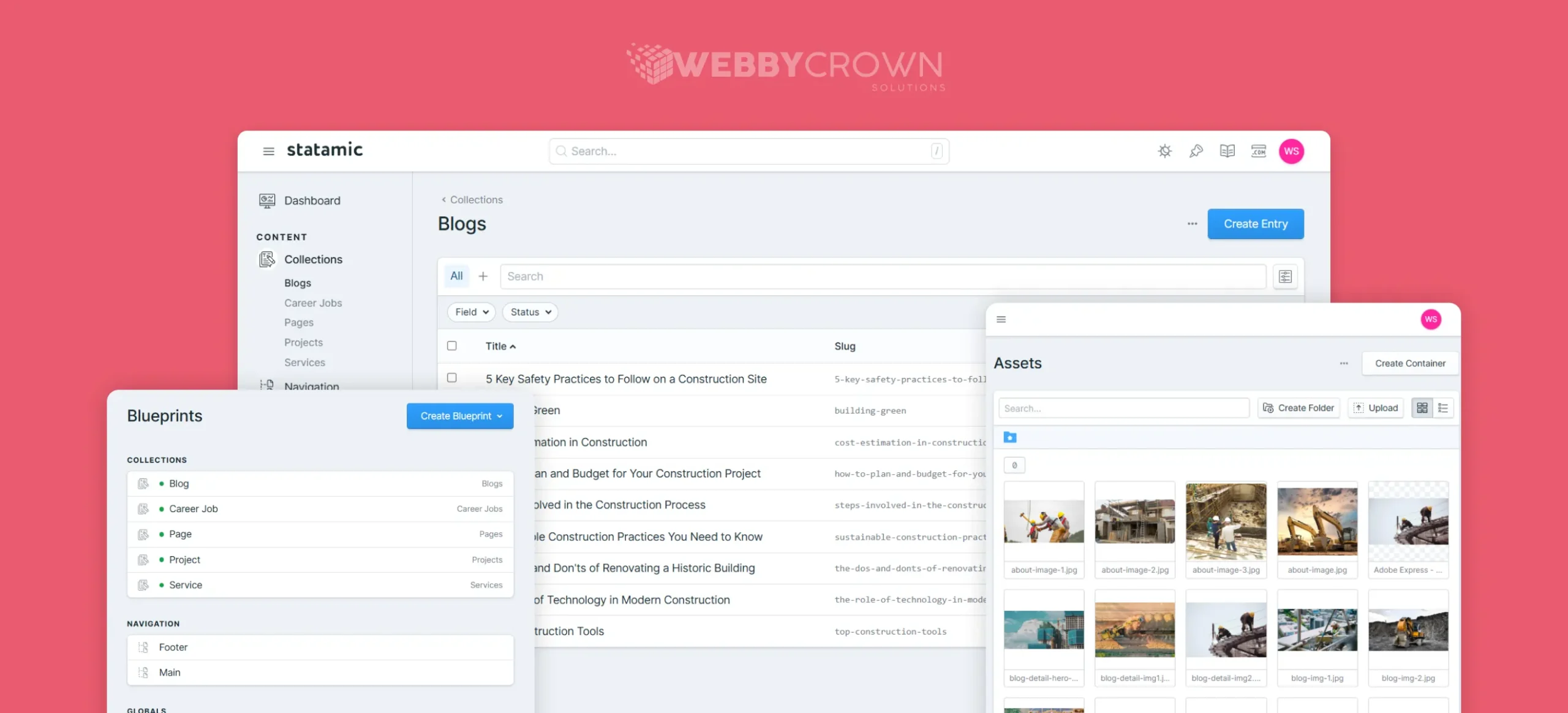
Statamic is a flat-file CMS built with PHP and open source. It’s free to use, so you don’t have to pay for the software or hosting. Great for small businesses who want to get up and running quickly and cheap.
It’s a flexible and modern content management system growing in popularity among web developers and content creators. In this easy to understand guide we’ll cover everything you need to know about Statamic development from the basics to customization and best practices. We’ll also cover why hiring remote developers can be a smart move for your project.
What is Statamic?
Statamic is a CMS built on Laravel and PHP. It’s a flat-file structure with no database, supports Markdown and YAML. Easier to edit and cheaper to host and develop. Perfect for non-technical users who want to make changes through a web browser. More flexibility and simpler maintenance, makes custom Statamic CMS solutions easier to build with Statamic.
There are many open source content management system options like WordPress, Drupal and Joomla but Statamic CMS has some unique advantages.
WordPress vs. Statamic
- WordPress is a blogging platform. It’s not for big projects and not as flexible or powerful as Statamic.
- Statamic is a flat-file CMS that doesn’t use a database. All content is stored in files on your server and served via PHP. This is faster than database driven systems and easier to manage.
- Statamic can manage more complex requirements than other flat-file systems like Jekyll or Hugo, with no restrictions on the number of pages you can write and create.
- Statamic helps you build high performing websites and avoids many of the issues that plague WordPress sites.
Benefits of Using Statamic
Statamic is a powerful, flexible and user friendly flat-file CMS. Here are some of the benefits:
- Makes building CMS websites simpler.
- Future proofs your website so you can add new statamic features later without breaking anything.
- Highly customizable. If you need something special for your site, experienced Statamic developers can help.
- Free version lets you build a solid website.
- Powered by Laravel, one of the most popular and feature rich PHP frameworks.
- Asset manager dashboard like WordPress but faster and easier to customize.
- Multilingual websites are easy.
- Headless CMS setups using REST APIs are a breeze.
- Uses Antlers templating engine.
- Because it’s flat-file there’s no database, so faster loading and simpler hosting.
- User friendly control panel for content management.
- Modular design allows you to create custom content types, fields and templates for your project.
- Integrates with Git for version control so development teams can collaborate smoothly.
- Generates static HTML files for faster page loads and better user experience.
- Security is a top priority with features like content authorization, XSS protection and regular updates.
Considering Statamic Development?
Talk to our expert Statamic developers at WebbyCrown Solutions today. Learn more about our Software Quality Assurance services.
Features of Statamic
Statamic is lightweight and open source, runs on any PHP supported server. Key statamic features:
- Can be used as a standalone CMS or as part of a larger Laravel application.
- Flat file content storage, no need for MySQL.
- Markdown support for developers and editors.
- Dynamic templating with Antlers for flexible layouts.
- Modular architecture to build custom content types, fields and templates.
- Content versioning for teams to review, compare and restore past changes.
- Built in SEO tools like customizable URLs and meta tags.
- Marketplace for add-ons, themes and plugins or build your own.
- Static HTML generation for improved performance and security.
What is the Statamic Partnership Program?
Modern Web development, design and marketing agencies can become Statamic partners by showing expertise in building sites and apps with Statamic. Partners also create add-ons and extensions to grow the Statamic ecosystem. The program encourages collaboration and knowledge sharing among partners.
Who Uses Statamic?
Statamic is used by a diverse range of organizations, from small businesses to large corporations and government agencies, spanning multiple industries.
Some well-known sites using Statamic include:
- FiftyThree (creativity apps like Paper and Paste)
- Time Magazine
- Visa Developer Center
- Outdoor Voices (athletic apparel)
- The Met Cloisters (Metropolitan Museum of Art branch)
- Jigsaw (part of Alphabet Inc.)
- Laramy-K Optical (eyewear)
- Indigo Ag (agriculture technology)
Common Uses for Statamic
Statamic’s low overhead means fast sites that respond fast. Good for:
- All kinds of websites, from personal blogs to corporate sites.
- Blogs with easy article management, categories, tags, comments, and RSS feeds.
- eCommerce sites with products and categories, integrating with e-commerce platforms.
- Portfolios for creatives to showcase their work.
- Business and corporate websites with team info and services.
- Event sites for conferences, festivals, and workshops.
- Membership sites with user profiles and content restrictions.
- Knowledge bases and documentation sites.
- Non-profit and charity websites for awareness and donations.
- Landing pages for marketing campaigns.
- Multilingual sites for global audiences.
- Custom web apps like project management tools or CRMs.
Do I Need a Developer to Make Changes?
You can update your Statamic site yourself, but it’s more complex than changing a WordPress theme or plugin. Hiring experienced developers has benefits:
- They know how Statamic works and can fix issues fast.
- They optimize code for Website performance and SEO.
- They save you time and reduce risk.
WebbyCrown Solutions has years of experience building amazing Statamic sites.
Benefits of Hiring a Statamic Partner
Choosing a Statamic partner means you get expert help to build and maintain your Statamic website.
Advantages include:
- Benefits include:
- Developers familiar with Statamic’s unique features.
- Customization to fit your project.
- Faster Statamic development and delivery.
- Quality assurance to industry standards.
- Alignment with your goals.
- Scalable teams for big or small projects.
- Ongoing support and maintenance services.
- Addon and plugins for extra functionality.
- Connection to a community of experts.
- Peace of mind knowing the technical details are taken care of.
Is Statamic Right for Your Business?
If you want a CMS that’s easy to use with basic HTML and CSS knowledge, Statamic is a good choice. It’s especially good for small businesses who don’t want to hire a developer.
Statamic is popular and trusted by many companies, including us!
Get in touch with WebbyCrown Solutions to learn how Statamic can be the perfect fit for your business. Our team is ready to build your next Statamic website.
Conclusion
With all the benefits Statamic offers, it’s easy to see why it’s getting popular. You can create websites or blogs without complicated coding. Installation is simple so you can get started quickly without expensive developers. If you want something new that saves you money and delivers a great user experience, Statamic might be what you need!
FAQs
How is Statamic different from traditional database-driven CMS?
Statamic stores content in flat files not databases. This makes your site faster, easier to host and reduces database problems.
What are the key features of Statamic?
Statamic offers a user-friendly control panel, dynamic templating engine, flat-file content storage, seamless integration with version control systems, customizable content types, and a wide range of additional features.
Can I customize Statamic for my project?
Yes, Statamic’s modular architecture offers easy customization, enabling you to create custom content types, fields, and templates, as well as develop add-ons to extend its functionality and perfectly align with your project requirements.
Is Statamic suitable for e-commerce websites?
Yes, it doesn’t have built in e-commerce features but integrates well with e-commerce platforms and manages product content.
What are the benefits of Statamic’s flat-file structure?
Flat-file setup makes your site faster, simpler to backup, lower hosting needs and works well with version control systems like Git.